NexusDesk
A Java and SQL helpdesk with support tickets, equipment records and separate employee, technician and administrator accounts.
- Java
- Spring Boot
- Spring Security
- SQL
- H2
- Thymeleaf
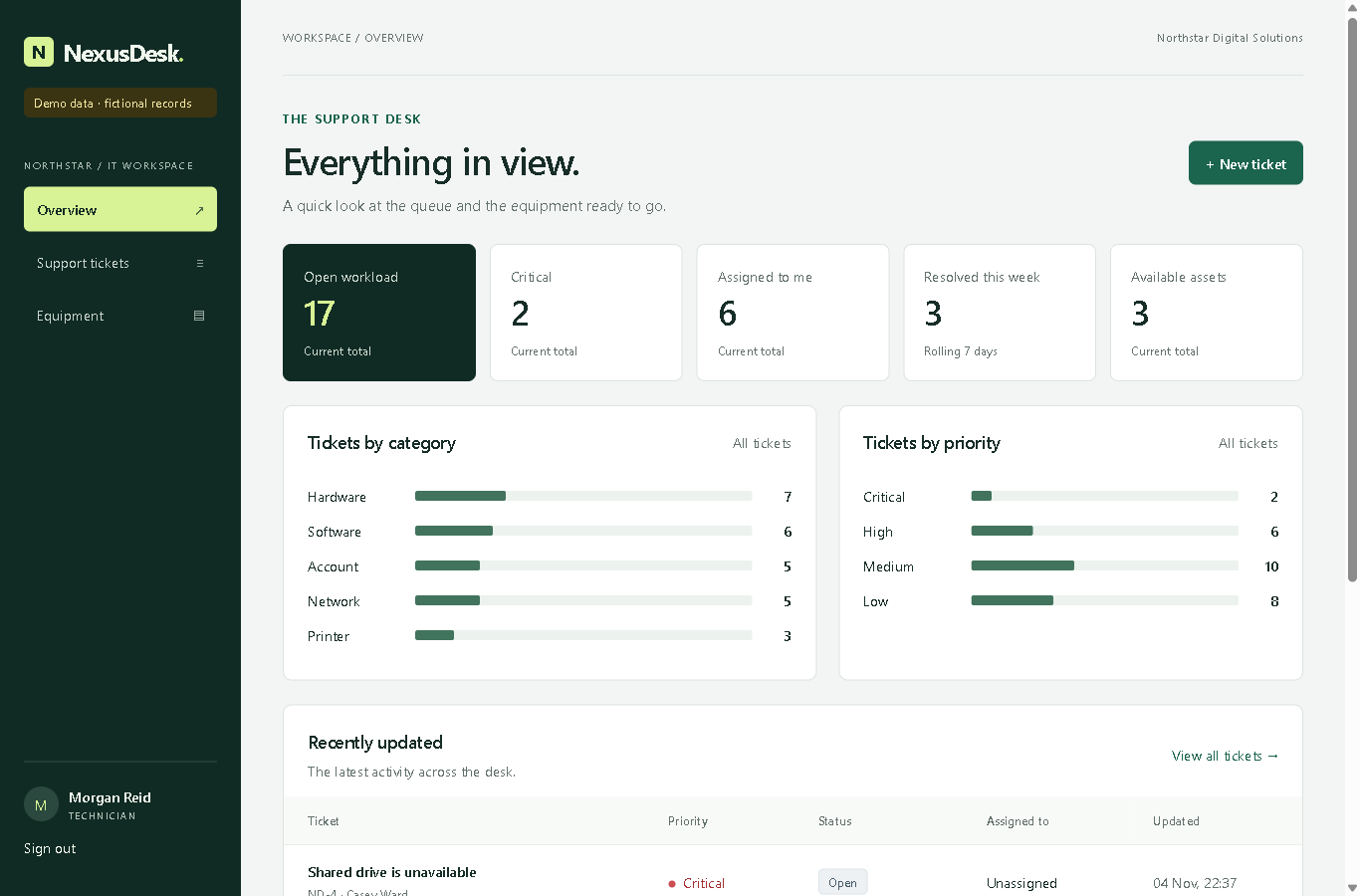
I wrote a brief for a fictional company's IT helpdesk. NexusDesk brings support requests, equipment records and staff accounts into one application. Version 0.2.0 is available as a local demo, with 26 fictional tickets to explore.
Follow a ticket through the system
An employee raises a ticket and can follow its replies and history. A technician assigns it, records the resolution and closes it. Reopening a ticket puts it back in the unassigned queue without losing the earlier resolution. Employees can only access their own tickets; technicians handle the queue, and administrators also manage accounts and equipment.
The 40-second silent walkthrough shows a form validation error, a ticket being assigned and resolved, the paginated queue, and equipment being assigned and returned.
In the demo, the employee submits a ticket form with missing information and sees a message beside the field. After correcting it, the ticket appears in the queue. The technician assigns and resolves it. The administrator then assigns a piece of equipment and records its return. Ticket changes and equipment ownership remain in their respective histories.
What happens behind the forms
Ticket updates and their history are saved in the same database transaction. Conflicting edits are rejected, and one piece of equipment cannot have two current owners. Search and filters stay selected while moving between pages.
Spring Security handles sign-in and permissions. Passwords use PBKDF2-HMAC-SHA256, and repeated failed sign-ins trigger a temporary block. Existing passwords from version 0.1.0 are upgraded when their owner next signs in.
The release passed 72 automated tests on Java 17, 21 and 25. A separate smoke test covers the running application, including sign-in, permissions, ticket changes, restart persistence and backup/restore. View the release checks on GitHub.
Try it locally
Download the demo ZIP, extract it and run Start demo.cmd. Java 17 or newer is required; Maven is not. Open http://localhost:8080, then sign in with employee@example.test, tech@example.test or admin@example.test. Each demo account uses Demo-password-123.
This is a personal practice project based on my brief, with fictional people and records. It runs as a single local application, rather than a hosted service. The README records how it was built and the setup instructions; the code walkthrough explains the main flows. Backups require stopping the app, sign-in attempt counts reset on restart, and there is no password-reset flow.